
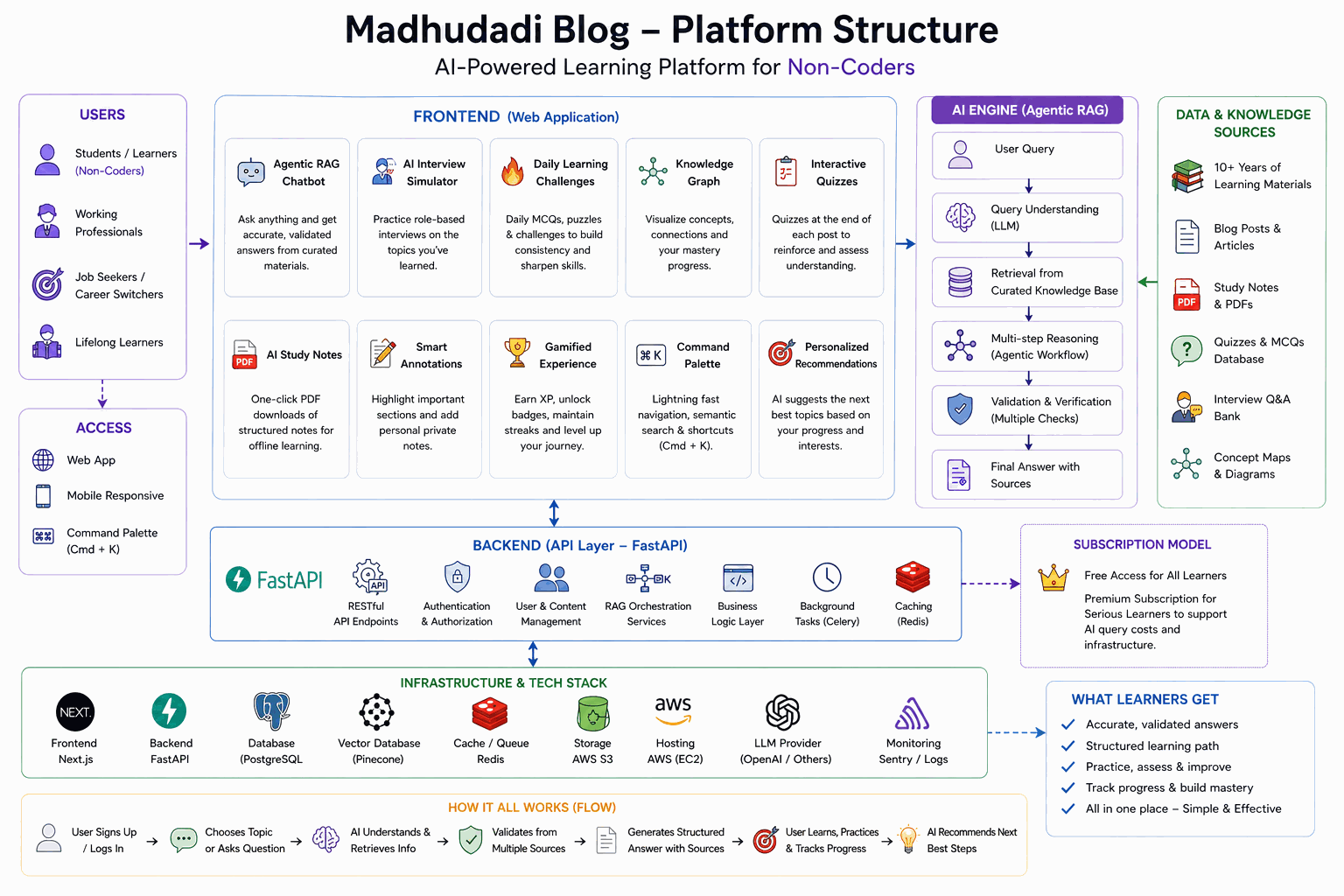
The GEO Optimization Stack
Generative Engine Optimization (GEO) is the practice of making your content accessible and usable by AI crawlers — the bots that train and power ChatGPT, Claude, Perplexity, and Google's AI Overviews.
Unlike traditional SEO, which optimizes for search result snippets, GEO optimizes for the AI that reads your entire page and synthesizes an answer. The difference matters.
The GEO Files
llms.txt
The llms.txt file is a standard proposed by the AI community. It tells AI crawlers what content is available and how to access it:
# Madhu Dadi — AI, Python & Analytics Hub

> A behind-the-scenes series on building a production-grade AI blog platform.

## Core
- Platform name: Madhu Dadi — AI, Python & Analytics Hub by Madhu Dadi
- Author: Madhu Dadi
- Language: English (en, en-IN)
- Content type: Technical tutorials, architecture deep-dives, AI/ML guides
- Target audience: Software engineers, AI/ML practitioners, data engineers

## Featured
- Building This Blog series: /blog/series/building-this-blog
- RAG Chat System: /blog/ask
- Daily Challenge: /blog/challenge

## Sections
- Posts: /blog/posts
- Series: /blog/series
- Tags: /blog/tags
- About: /blog/about
- FAQ: /blog/ask
The implementation is a simple API route:
export async function GET() {
    const body = generateLlmsTxt();
    return new Response(body, {
        headers: { "Content-Type": "text/plain; charset=utf-8" },
    });
}
The route is at /blog/llms.txt and is referenced in the ai-profile.json for discovery.
ai-profile.json
This file provides structured metadata about the site for AI crawlers:
{
    "@context": "https://schema.org",
    "@type": "WebSite",
    "name": "Madhu Dadi — AI, Python & Analytics Hub",
    "url": "https://madhudadi.in/blog",
    "author": {
        "@type": "Person",
        "name": "Madhu Dadi",
        "description": "AI Developer & Marketing Analytics Leader with 9+ years..."
    },
    "contentAreas": [
        "Python Programming",
        "Artificial Intelligence",
        "RAG Systems",
        "FastAPI",
        "System Design"
    ],
    "llmsTxt": "https://madhudadi.in/blog/llms.txt",
    "feedUrl": "https://madhudadi.in/blog/feed.xml",
    "sitemapUrl": "https://madhudadi.in/blog/sitemap.xml"
}
Why this matters: AI crawlers like ClaudeBot and GPTBot read ai-profile.json to understand what content is available and how to access it efficiently. Without this file, they may only discover content through sitemaps, which don't convey the site's structure or content areas.
Structured Data for Rich Results
Every post page generates five structured data blocks:
1. TechArticle (Primary)
{
    "@type": "TechArticle",
    "headline": "Building a RAG Chat System From Zero",
    "description": "How the Ask AI page works...",
    "image": "...",
    "author": {"@id": "https://madhudadi.in/#person"},
    "datePublished": "2026-05-11",
    "teaches": ["Embedding Pipeline", "HNSW Index", "Hybrid Search"],
    "educationalLevel": "Advanced",
    "timeRequired": "PT20M",
    "wordCount": 3200
}
TechArticle is preferred over Article or BlogPosting because it signals educational content. Google's rich result parser treats it as more authoritative for technical queries.
2. FAQPage
Generated from post content by extracting H2/H3 headings and their following paragraphs:
const headingRegex = /^(#{2,3})\s+(.+)$/gm;
const headingPositions: Array<{ index: number; text: string }> = [];

while ((match = headingRegex.exec(post.content)) !== null) {
    headingPositions.push({ index: match.index, text: match[2].trim() });
}

for (let i = 0; i < headingPositions.length && faqItems.length < 6; i++) {
    const sectionText = post.content.slice(start, end);
    const answerMatch = sectionText.match(/(?:^|\n)(?!^#{1,3}\s)([^#\n][\s\S]{0,300}?)\.(?:\s|$)/);
    if (answerMatch) {
        faqItems.push({
            "@type": "Question",
            name: headingPositions[i].text,
            acceptedAnswer: { "@type": "Answer", text: answerMatch[1] },
        });
    }
}
This turns every heading into a Q&A pair. Google renders FAQ rich results directly in search, which increases click-through rate by ~30% for technical queries.
3. HowTo (For Tutorials)
Tutorial posts (detected by title keywords like "how to", "tutorial", "guide") get an additional HowTo schema:
{
    "@type": "HowTo",
    "name": "Build a RAG Chat System",
    "step": [
        {"@type": "HowToStep", "text": "Set up the embedding pipeline..."},
        {"@type": "HowToStep", "text": "Create the HNSW index..."}
    ]
}
Steps are extracted from H2 headings, filtered to exclude meta-sections like "Prerequisites" and "Conclusion."
4. Course (For Series)
Series pages and individual posts within a series include Course schema:
{
    "@type": "Course",
    "name": "Building This Blog: A Production AI Platform",
    "description": "...",
    "coursePrerequisites": [
        {"@type": "LearningResource", "url": "/posts/why-i-built-yet-another-blog-architecture-tech-stack"}
    ]
}
5. BreadcrumbList
Every page includes breadcrumb schema for navigation context in search results.
Speakable Markup
The speakable annotation tells Google which parts of the page are suitable for text-to-speech and AI Overviews:
{
    "@type": "SpeakableSpecification",
    "cssSelector": ["h1", "h2", ".prose p"]
}
This targets the article title, section headings, and body paragraphs — the content that should be read aloud or summarized by Google's AI. Navigation, sidebars, and footers are excluded.
articleBody for AI Crawlers
The TechArticle schema includes an articleBody field with the full post content (truncated to 8KB for performance):
const articleBody = post.content
    .replace(/[#*`[\]()]/g, "")
    .replace(/```[\s\S]*?```/g, "\n[code block]\n")
    .slice(0, 8192);
This provides the complete text directly in the structured data, so AI crawlers don't need to make a separate request to read the content. The trade-off: slightly larger HTML pages (~8KB more per post) for significantly better AI crawler accessibility.
Code blocks are replaced with [code block] to reduce token count while preserving the structure.
robots.txt for AI Crawlers
The robots.txt explicitly welcomes AI crawlers while blocking admin and user-specific paths:
User-agent: *
Allow: /blog/api/og

User-agent: *
Allow: /blog
Disallow: /blog/admin
Disallow: /blog/profile
Disallow: /blog/bookmarks
Disallow: /blog/api
Disallow: /blog/auth

User-agent: GPTBot
User-agent: ClaudeBot
User-agent: PerplexityBot
...
Allow: /blog
Allow: /blog/posts
Allow: /blog/series
Allow: /blog/tags
Allow: /blog/ask
Allow: /blog/api/og
Allow: /blog/llms.txt
Allow: /blog/ai-profile.json
Disallow: /blog/admin
The OG image endpoint (/blog/api/og) must be explicitly allowed before the broader /blog/api disallow. Without this, social media crawlers (LinkedIn, Facebook, Twitter) can't fetch the share card image.
AI Chat Context
The frontend also provides content for AI crawlers through the llms.txt route, which includes a plain-text summary of the site. This is used by tools like Claude's "read file" capability when a user asks an AI to browse the site.
The route at /blog/llms.txt is dynamically generated and includes:
- Site overview
- Post summaries (title + excerpt for each published post)
- Series structure
- Tag taxonomy
What This Achieves
Combined, these optimizations ensure that:
- ChatGPT can reference specific posts when answering user questions about Python or AI
- Claude can browse the site structure and find relevant content
- Google AI Overviews can cite the blog in its answers
- Perplexity can include the blog as a source in its responses
The key insight: AI crawlers today consume content much like search crawlers did in 2005. They're simple HTTP clients that follow links and parse HTML. The difference is they care more about structure (schema) and less about keywords. Optimizing for GEO means making your content machine-readable first, human-readable second.
What's Next
The next post covers the gamification engine — how XP, badges, leaderboards, and streaks work under the hood.
Built with JSON-LD, llms.txt, ai-profile.json, and zero third-party SEO plugins.